How we calculate costs: tokens and credits
We receive many questions about how we calculate costs, what credits are, and what tokens are. Here is a short explanation.

Erik Čapkovič
CTOIn recent weeks, we have received many questions about how we calculate costs. What are credits? What are tokens? Why does a short message sometimes use more than you might expect? We therefore decided to explain how it works.
What is a token?
When you read this paragraph, you see words and sentences. A model does not see text in the same way. It first divides the text into small pieces and works with those pieces. These pieces are called tokens.
A token can be a whole short word, part of a longer word, a space, or a comma. The exact division depends on the model. You do not need to worry about that for a general understanding: you can think of one token as approximately one word.
Something else is more important. Consumption does not depend on the length of the sentence you see in the text field. It depends on how many of these pieces the model reads while working on the response and how many it creates.
Four types of tokens
Not every token costs the same. A single message will usually involve four types.
Input tokens are what the model reads. This includes your new message, earlier messages in the conversation, system instructions, tool descriptions, attached files, and text returned by search.
Output tokens are the tokens the model creates as a response, especially the text you see in the chat.
Reasoning tokens are used by the model during its internal reasoning process before producing a response.
Cached read tokens are created when the model reuses part of a previously processed context. They are more complicated, so we will not explain them for now.
What happens when you send a message?
When you send a message, the application assembles an initial context for the model. You can think of context as the model’s working memory: everything available to it at that moment and everything it can draw on while working. It is not only your latest question. We explain how to work with context in a short Praktik Academy video.
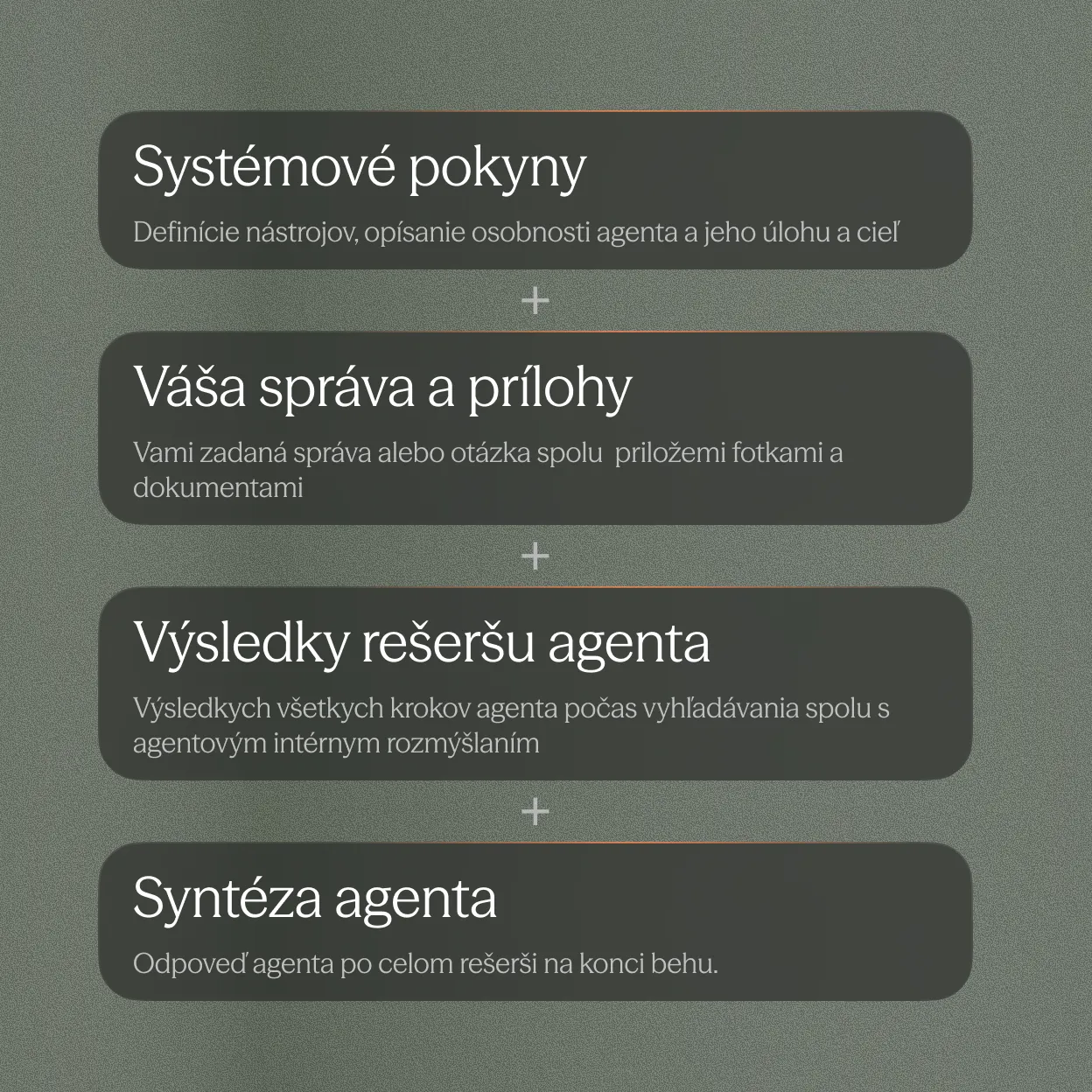
The initial context contains system instructions that tell the agent how to work and which tools it can use. It also includes previous messages in the conversation, so the model knows what it is continuing from. Finally, your new message and attachments are added.
This entire context is divided into input tokens, and the model starts generating. This does not necessarily mean that it immediately writes the final answer. It may first generate a request to use a tool, such as searching legal sources.
The tool performs the search and returns its results to the agent. These results are added to the context, and the model continues generating with the new information. During generation, the model may also use its internal reasoning process.

If it needs more information, it can use another tool. This continues until it has enough information to produce the final response.
For example, if you ask the agent to read a specific document, it starts with your request and the attached file. It uses a tool to load the document’s contents. The result is added to the context, and the model uses it to prepare a response.
All of this contributes to consumption. System instructions, messages, attachments, and tool results are input tokens. What the model creates while working, such as tool requests, internal reasoning, or the final response, forms the output and reasoning tokens.
How consumption works
AI model providers set prices according to the number and type of tokens processed. Rates vary between models.
In Praktik, we convert these costs into credits. The number of credits used for a specific task is therefore not fixed. It depends on the model and the number of tokens it processes throughout the task. A longer context, extensive attachments, or more research steps can lead to higher consumption.
Credits are included in your subscription, and you can see their usage directly in the application. If you use them up, you can purchase extra credits. We explain the difference between subscription credits and extra credits in How credits work in Praktik.
Tokens represent the amount of text the model works with. Credits convert the costs of different models and token types into one shared unit in Praktik.
Try it on your own task
Open Praktik and try the agent with your own question or document. You can see credit consumption directly in the application. Details about credits and plans are available on the Praktik pricing page.