More precise legal research: advanced search operators
Researching the invalidity of a legal act, but getting too many results? Narrow your search in Praktik with wildcards, quotation marks and parentheses.

Praktik
Tím Praktik.aiYou are looking for decisions about the invalidity of a legal act and liability for damages. You enter a few words, but the results also include employment disputes that have nothing to do with your case. How do you narrow the search without losing the broader topic?
In Praktik’s advanced court-decision search, you can specify which terms must appear together in a document and which to exclude. Quotation marks let you search for whole phrases, too.
If you use ASPI, you probably already know the asterisk and parentheses. In Praktik, they serve similar purposes: finding multiple word forms or combining conditions to match what you are looking for.
The examples below search Slovak decisions, so the query terms remain in Slovak.
Getting started
In court-decision search, click the magic-wand icon next to the search field and select advanced mode. For an ordinary question, you can stay in normal mode. Advanced mode is useful when you already know which terms you need to combine.
In the sidebar, choose whether to search decision texts, legal headnotes or both. You can also set typo tolerance and decide whether words entered without an operator must all match or whether any one of them is enough. By default, typo tolerance is off, all words are required, and both decision texts and headnotes are searched.
We write AND and OR explicitly in the examples so the relationship between words is clear regardless of the sidebar setting. If you forget a particular expression, you can look it up in the advanced-search help dialog.
The asterisk: multiple forms of a word
To search for words that share a beginning, use *:
neplatn*The asterisk stands for zero or more characters within a single indexed word. neplatn* specifies the common beginning of Slovak words such as “neplatný”, “neplatnosť” and “neplatného”, which relate to invalidity. The actual matches also depend on how the search engine processes words during indexing. An asterisk does not span multiple words.
For the invalidity of a legal act, try:
pravn* AND ukon* AND neplatn*The decision must contain words matching all three prefixes. They do not have to be next to one another or in the same sentence. If unrelated terms appear in the results, try using a longer prefix.
At least three literal characters must precede the first wildcard. neplatn* is valid, but ne* and *platnost are not. You can also use ?, which stands for exactly one character. Do not put wildcards inside a quoted phrase.
AND, OR and NOT: what to include and exclude
Write operators in uppercase:
ANDrequires both conditions:zmluva AND škoda(contract and damage).ORallows either alternative:zmluva OR dohoda(contract or agreement).NOTexcludes a term:zmluva AND NOT poistné(contract, excluding insurance premium).
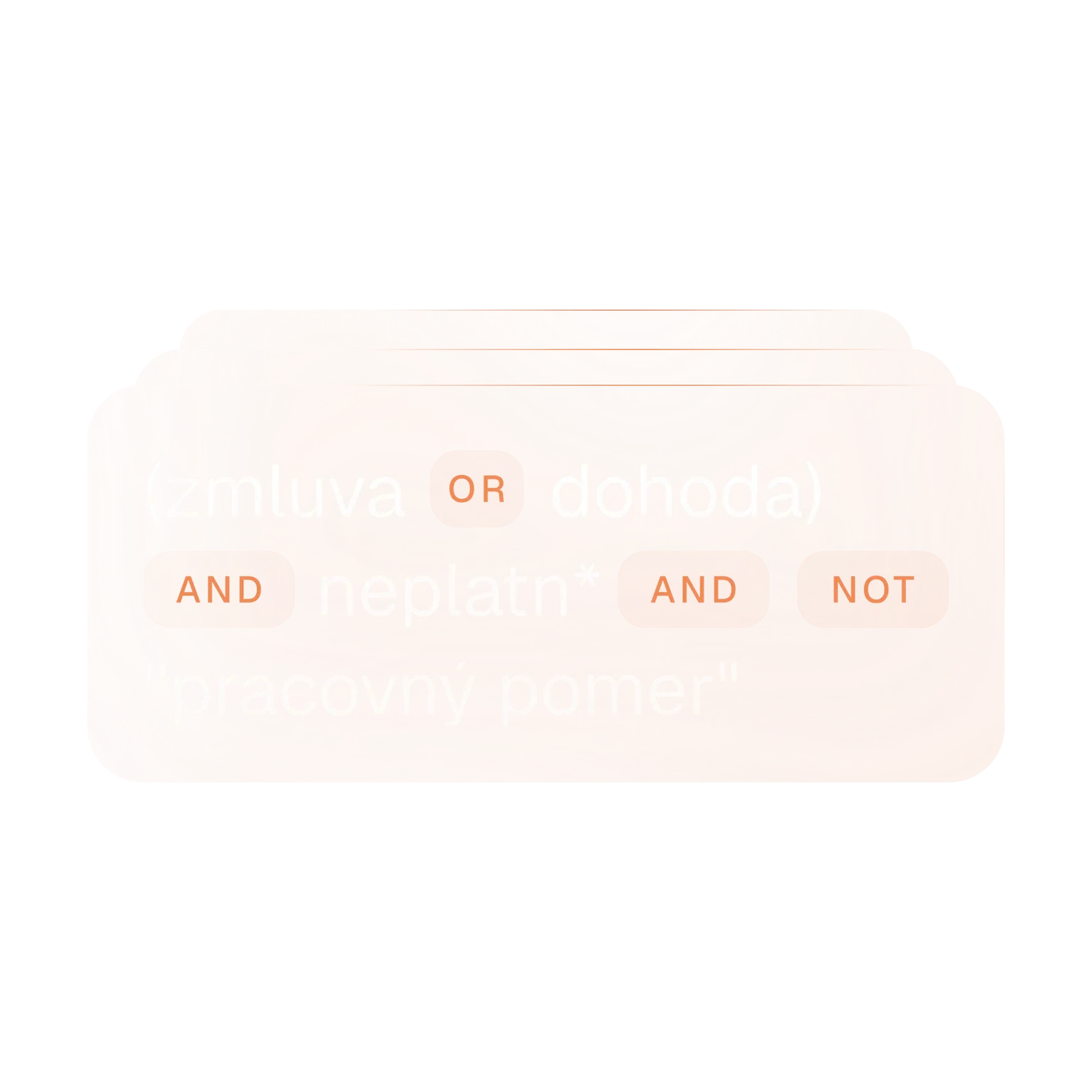
For example, to search for the invalidity of a contract or agreement while excluding an employment-related phrase, start with:
(zmluva OR dohoda) AND neplatn* AND NOT "pracovný pomer"A result must match “zmluva” or “dohoda” as well as the neplatn* condition. Decisions containing the phrase “pracovný pomer” (employment relationship) are excluded.
Even a useful decision might mention employment only in passing, and NOT would remove it. We recommend checking results without the exclusion first, then narrowing the query.
Quotation marks and word proximity
Use quotation marks for an established expression:
"náhrada škody"Praktik searches for the words in the specified order while still handling their word forms. Quotation marks therefore do not mean a character-for-character match.
If that phrase is too restrictive, you can add a tilde and a number after the quotation marks:
"náhrada škody"~3The number sets the allowed word-position movement within the phrase, technically called phrase slop. A value of 3 does not mean three characters or “at most three words between the terms”. The engine counts shifts in word positions and may allow a different word order. Swapping two adjacent words costs two moves. You can use a value from 0 to 100.
In practice, we recommend starting without the tilde. If the phrase misses what you need, try a small value and read the matching passages. Higher numbers allow looser word arrangements, so less useful results may appear too.
Be careful: a tilde after a single word means something different. zodpovednost~1 allows one character edit to accommodate a typo. It does not specify word proximity.
Building a more complex query
You can put parentheses inside other parentheses:
(zmluva OR (dohoda AND škoda)) AND neplatn*This searches for invalidity alongside either a contract or an agreement associated with damage. Damage is required only in the second alternative. The contract alternative does not require it.
Without parentheses, NOT takes precedence, followed by AND, then OR. When combining several conditions, it is better to group them with parentheses. That makes it easier to check whether the query says what you intend.
For the invalidity of a legal act and liability for damages, you could use:
(pravn* AND ukon* AND neplatn*)
AND (zodpoved* OR "náhrada škody")
AND NOT "pracovný pomer"
We have split the query across lines to make it easier to read. All three prefixes in the first group are required; in the second group, either alternative is enough. The last line excludes decisions containing “pracovný pomer”. Parentheses specify which conditions belong together.
Queries to try
Adapt these examples to your research topic. They demonstrate query syntax, not the results of a verified legal research exercise.
Invalidity of a contract or agreement
(zmluva OR dohoda) AND neplatn*Start with both terms without excluding any results yet.
Damages in connection with invalidity
"náhrada škody"~3 AND neplatn*The words “náhrada” and “škody” are searched with a word-position tolerance. A term matching neplatn* must also appear in the decision, but it does not have to be near them.
Invalidity or damage in a headnote within a chosen period
thesis:(neplatnost OR škoda)
AND date:[2020-01-01 TO 2024-12-31]
thesis: searches the terms in parentheses only within legal headnotes. date: limits the decision’s issue date, with square brackets including both boundary dates. If a decision has no headnote, this query may miss it. For broader research, search decision texts as well.
What to try when the results do not fit
You do not need to write a long expression with every condition straight away. Start with a few words or one phrase and see what comes back. Add an alternative term with OR or a necessary condition with AND. You can also combine the query with court or date filters.
If there are surprisingly few results, remove one condition and try again. Check the date range and whether you are searching headnotes only. If there is a syntax error, the error message will help you correct the expression.
When you find a promising decision, read the passage where the terms appear. The query checks for matching words. Whether the decision is relevant to your case depends on its factual and legal context.