
Installation
The Praktik add-in for Microsoft Word brings legal research and document analysis directly into the environment where you prepare submissions and contracts. Installation takes less than a minute and requires no technical knowledge.
Installing the add-in
Section titled “Installing the add-in”1. Open Microsoft Word
Section titled “1. Open Microsoft Word”Launch Microsoft Word on your computer.
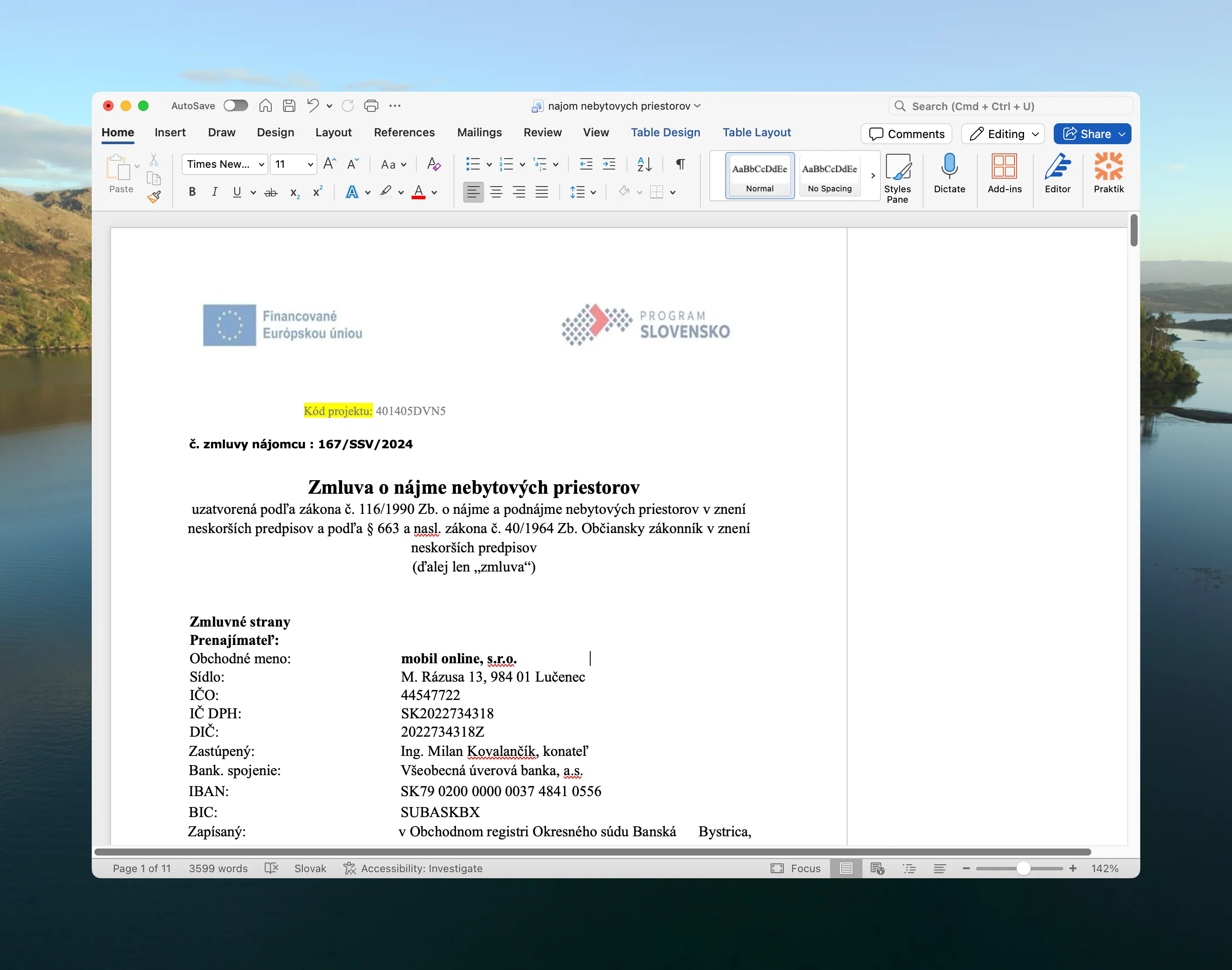
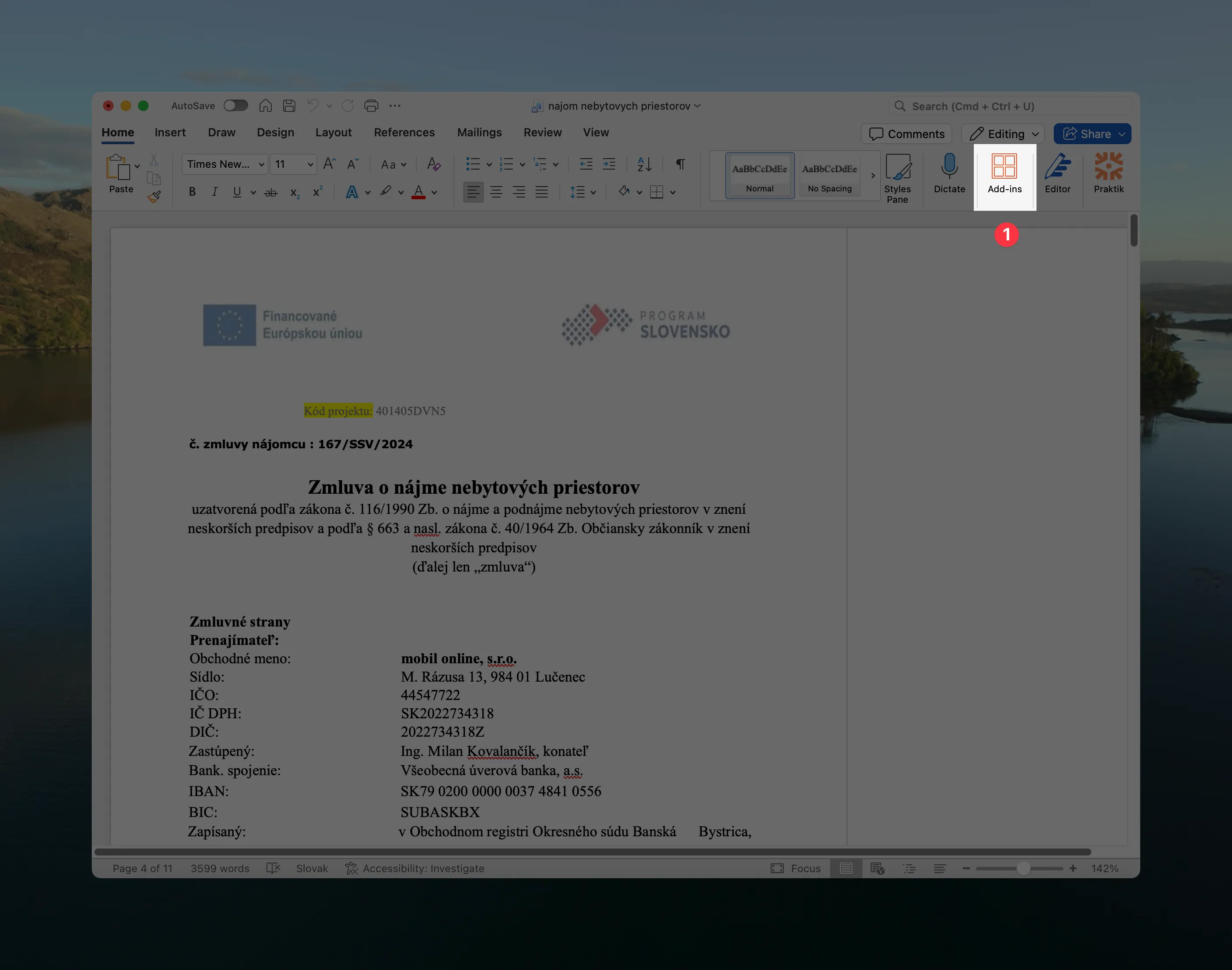
2. Navigate to Add-ins
Section titled “2. Navigate to Add-ins”In the top menu, click on Home and then on Add-ins.
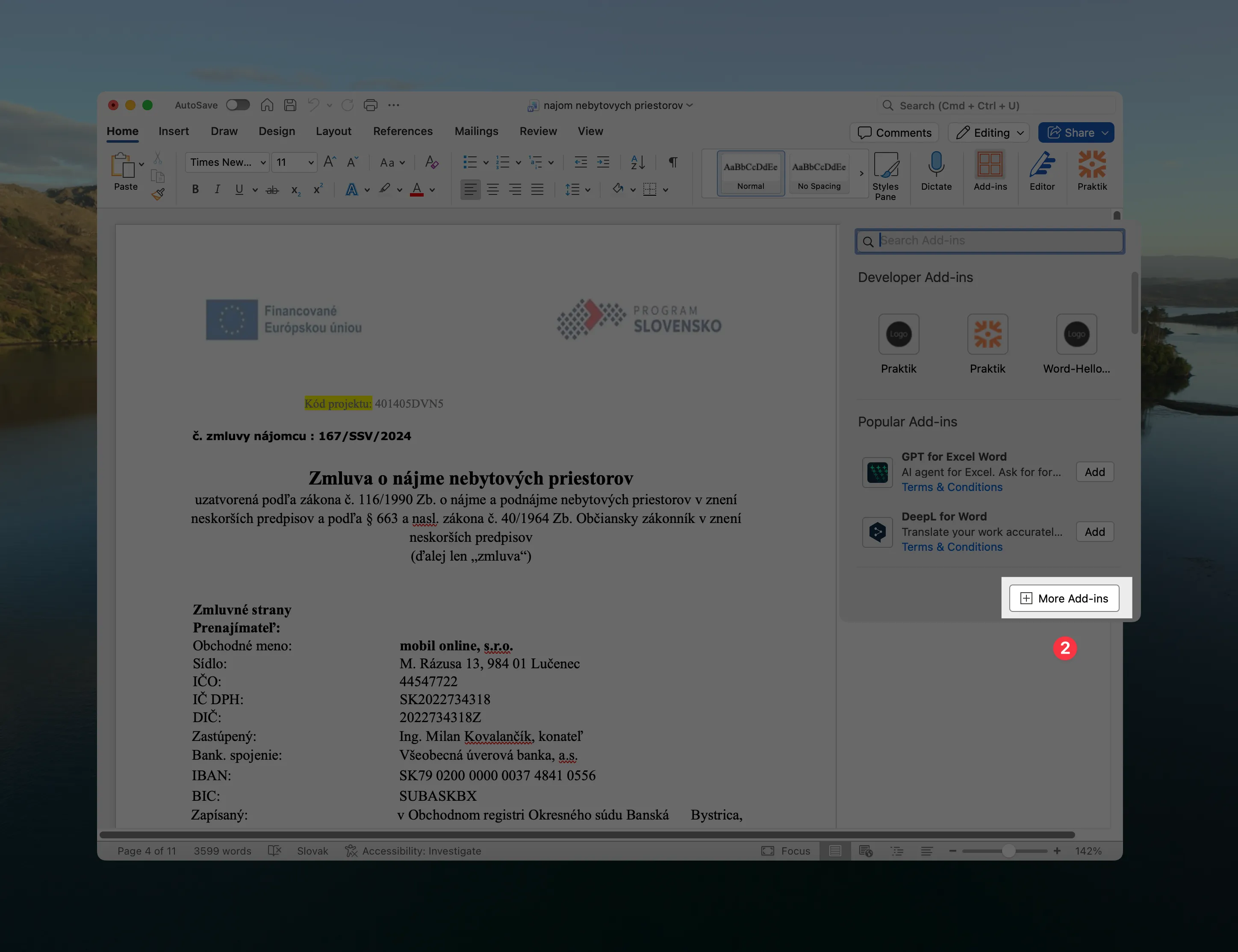
3. Click on More Add-ins
Section titled “3. Click on More Add-ins”A popup window will open. Click on the More Add-ins button.
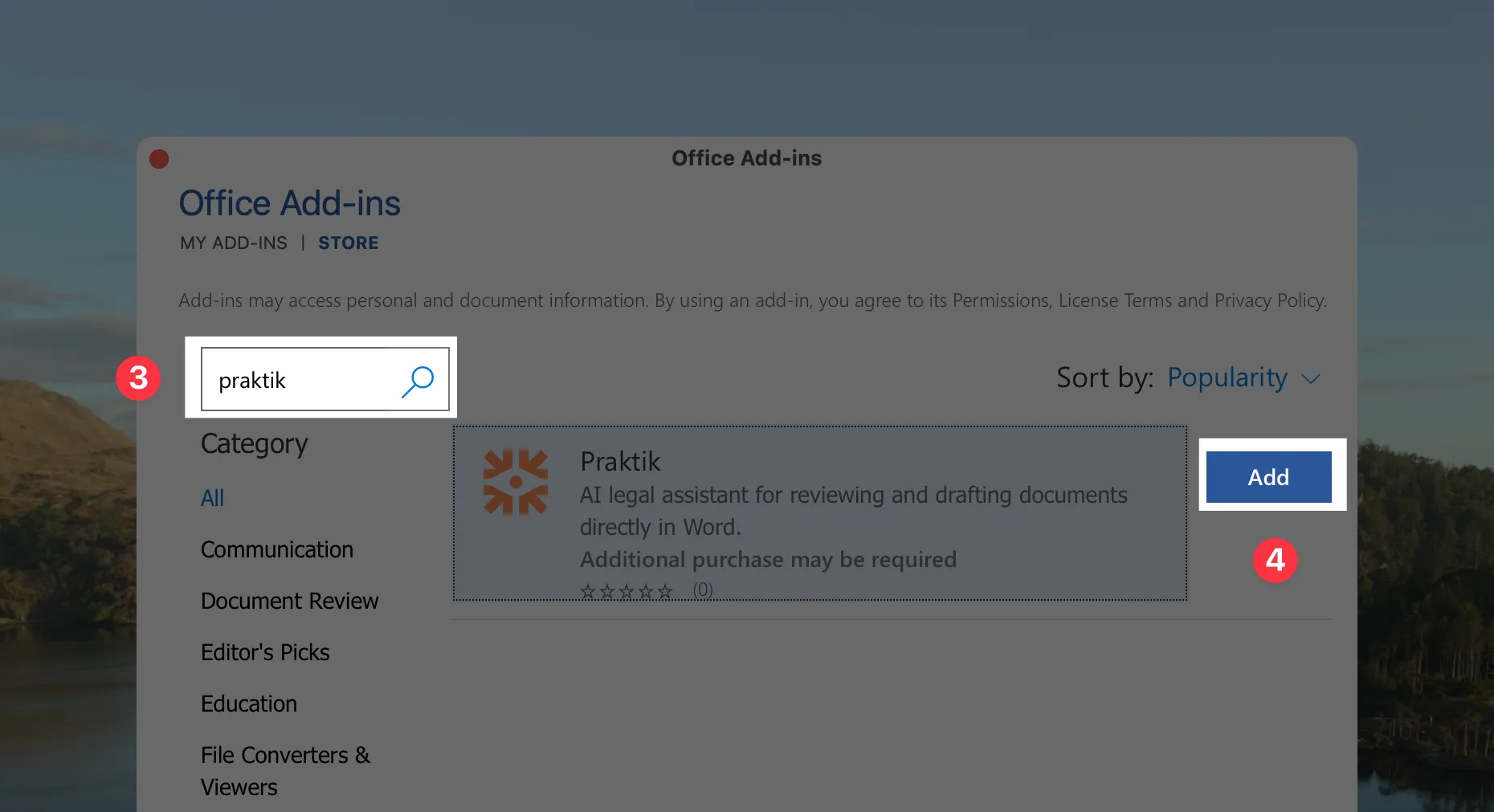
4. Search for Praktik and add the add-in
Section titled “4. Search for Praktik and add the add-in”In the search field, type “Praktik” and click the Add button next to the Praktik.ai add-in. The add-in will install automatically.
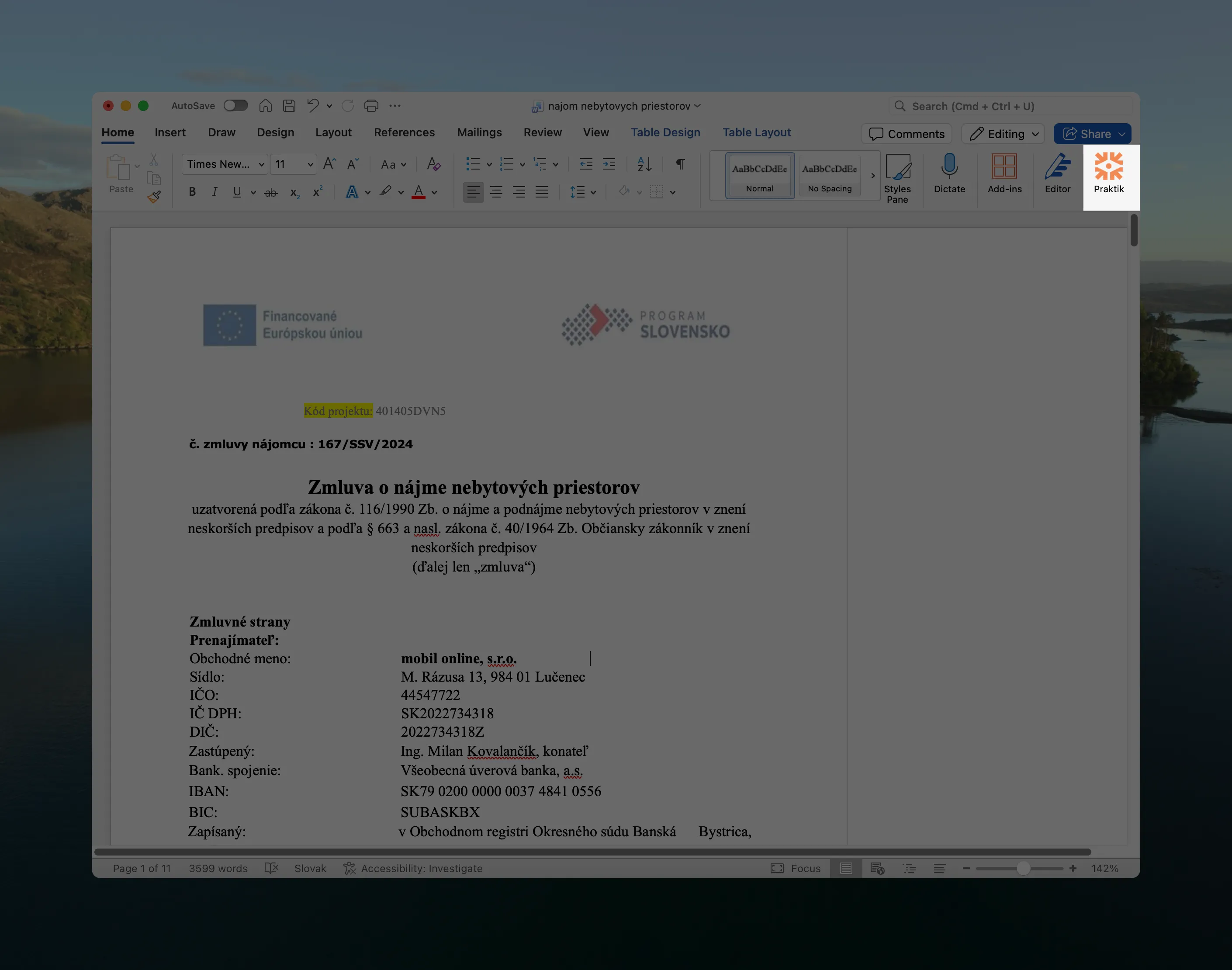
5. Open the add-in
Section titled “5. Open the add-in”After installation, the add-in will appear on the right side of the screen. If it doesn’t appear automatically, you can find it in the Home tab under Praktik.ai.
Next steps
Section titled “Next steps”With the add-in, you can get assistance with writing directly in Word, fill in templates according to instructions, review contracts, translate documents while preserving formatting, or check data in contracts.
More information:
- Introduction to Word add-in — basic overview of features and capabilities
- Writing assistance — how to work with chat directly in the document (coming soon)
- Document translation — how to translate a contract while preserving formatting (coming soon)
- Document review — how to run checks configured in the web version (coming soon)
If you have questions about the Word add-in, contact us at support@praktik.ai.